Pick one game mode and describe it precisely
“Survival, Skyblock, Factions, Creative and more” tells a player nothing about why they should join you. Start with one mode you can run well and describe what is different about it.
- Survival: vanilla or with plugins? Land claims or not? Is there an economy?
- Skyblock, Prison or Factions: what is the progression, and how long does a season last?
- Modded: which modpack and version, and where do players download it?
- Community: age range, language, whether the server is whitelisted.
Get the server list entry right
In the multiplayer menu a player sees your server icon, your message of the day and the player count. That is your whole first impression.
- Server icon: a 64 × 64 pixel PNG named server-icon.png in the server folder. Use a simple, recognisable shape rather than a detailed picture that turns into noise at that size.
- Message of the day: two short lines. Say the mode and the version, not “BEST SERVER EVER”.
- Version: state clearly which Java and Bedrock versions you accept. If you run a proxy for crossplay or multiple versions, test the join from each of them yourself.
Make the first join easy
Most players decide in the first minutes whether they stay. Treat the spawn area as your landing page.
- One obvious path from spawn to playing: a portal, a sign, or a short tutorial that can be skipped.
- A short /rules and /help that fit on one screen.
- Grief protection that works from minute one, so a new player’s first build is not destroyed overnight.
- No pay-to-win offer in the player’s face at spawn. It is also against Minecraft’s usage guidelines for many kinds of paid advantage, so check them before you sell anything.
Use server lists and voting carefully
Server lists and voting sites are where many Minecraft players look for something new, so being listed is worth the effort. Write the same honest description everywhere, use real screenshots of your world, and keep your address up to date.
Voting rewards can keep regular players engaged, but a vote count is a popularity signal, not a quality rating, and experienced players know that. On ServerRoam, votes are limited to one per account and server per day, and the rankings show the last seven days so a burst of old votes does not keep a server on top.
Grow through people, not adverts
- Start with friends and a Discord, and play on the server yourself at fixed times.
- Short clips of builds, events or funny moments travel further than an advert.
- Run small events with a clear time and a reason to bring a friend, such as a build contest or a seasonal map.
- Answer every report and suggestion, even with a “no”. A server where staff respond feels alive.
List your server where players search
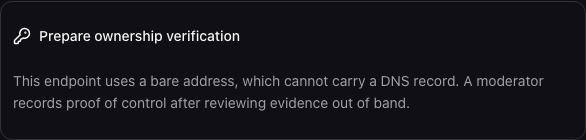
Players also search the web for a mode, a language or a version. A directory page with the description, the address and your community gives them something to find and share. A ServerRoam draft is free. Each address needs accepted proof of control and the community needs independent review before publication. DNS and manual proof availability depend on operator gates; verification is not a quality endorsement.
What to avoid
Fake player counts, bought votes, copied descriptions and advertising in other servers’ chats get servers removed from lists and banned from communities. They also bring players who leave the moment they notice. A small server with twenty regulars is a better base than a large count nobody believes.
Show Java and Bedrock separately
Illustrative addresses below cannot be joined. State your actual edition, accepted versions and modpack. Only advertise crossplay after testing both clients. A Java address does not automatically accept Bedrock, and adding custom servers depends on the player’s device.
Java: play.example.invalid:25565
Bedrock: bedrock.example.invalid — 19132A seven-day promotion checklist
- Day 1: write the mode, edition, client version and whitelist rules in plain language.
- Day 2: test the connection from each advertised edition; record the actual host and port.
- Day 3: take your own world screenshots and remove any private chat or coordinates you should not share.
- Day 4: prepare your directory draft and address-control evidence. Publication waits for proof and independent review.
- Day 5: publish one useful introduction only where community rules permit it.
- Day 6: run a small event at an announced time and observe a new player’s first visit.
- Day 7: review problems and actual returns with consenting players. A copied address is not a confirmed join.