List your Minecraft server for free
Help players find the right edition, version and world. Start a free private draft with explicit Java or Bedrock joining details; verification and review are required before publication.
You sign in with Discord. New listings start as private drafts.
What to prepare
- Prepare the actual hostname and port, edition and accepted client version. Java and Bedrock use different connections; do not assume one address works for both.
- State survival/SMP or other modes, modpack name and version, claims, resets, whitelist rules and how to apply. If crossplay is configured, test both editions and document each connection.
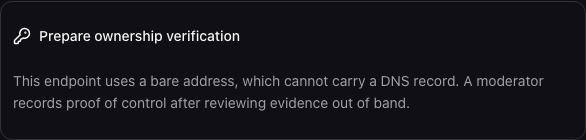
- For a hostname, prepare DNS access to add the dashboard’s TXT record. A bare IP address needs independent manual proof; it cannot host a TXT record.
What you can use for free
- Private drafts for your organization, communities and servers.
- Ownership verification and listing review.
- A public community and server profile with joining information.
- Sharing tools for published listings: a profile link, Discord announcement text and an image badge for your website.
No payment is needed to publish or keep a listing.
How it works
- Sign in with Discord and create an organization: the private workspace your team uses to manage listings.
- Create a community, the public profile players see, and add its game servers with their addresses.
- Verify each server address from your dashboard.
- Submit the community for review.
- After approval, your community and its servers appear in the directory. You can withdraw the listing at any time.
Running a server for another supported game? You can prepare a private draft now. The dashboard shows which verification method applies to each address.
Why verification and review are required
Java and Bedrock endpoints with hostnames use DNS-TXT proof when the DNS transport is enabled. Addresses without hostnames require a moderator to record independent evidence. A challenge alone is not proof, and listing support does not mean live player monitoring is enabled.
Review means a moderator outside your organization checks the whole community before publication. Every server address in the community must be verified before you can submit it.
At this early stage, verification checks are not yet open to everyone: the ServerRoam team turns them on when it can run them safely, so a check may wait until then. Reviews are done by hand. Neither is instant. There is no guaranteed review deadline, ranking position or traffic.
Before you start
Does listing cost anything?
Creating, reviewing and keeping a listing is free. Optional sponsored placements are separate and never buy verification or organic rank.
How soon will my listing be public?
A draft is private. Each address needs accepted proof and the community needs independent moderation. Checks can wait for operator approval; there is no guaranteed deadline.
What if my server is already listed?
Already listed as unclaimed? Open your server’s page on ServerRoam and choose “Is this your server? Claim it”.
Will listing guarantee new players?
No. An accurate profile helps players assess fit. A profile view or copied address is not proof of a game connection.